Projector special. The 20 essential questions.
A new section that will each time be devoted entirely to one of those topics that raise doubts and questions.
This month we launch a new section that we want to be as practical as possible so that our readers can get the most out of it, and which will each time be devoted entirely to one of those topics that raise many doubts and questions. Living up to the magazine's name, CEC (Cine En Casa, or Home Cinema), we had to begin with projection, since there is no other way to conceive of home cinema than watching it on a big screen, a truly big one, and that means using a projector (at least until televisions of more than 100 inches become more popular than they are now, when they are almost a laboratory curiosity). The format that seemed most practical to us is a question-and-answer one: we will try to pose all the possible questions you might have on the subject and give you the answers.
1. Is a dedicated room needed to use a projector?
Not at all; in fact, it is exactly the opposite: a modern television of 40 inches or more, even a flat model that we can hang on a wall like a painting, takes up a considerable amount of space and has certain requirements (heat dissipation, connections) that can complicate domestic logistics.
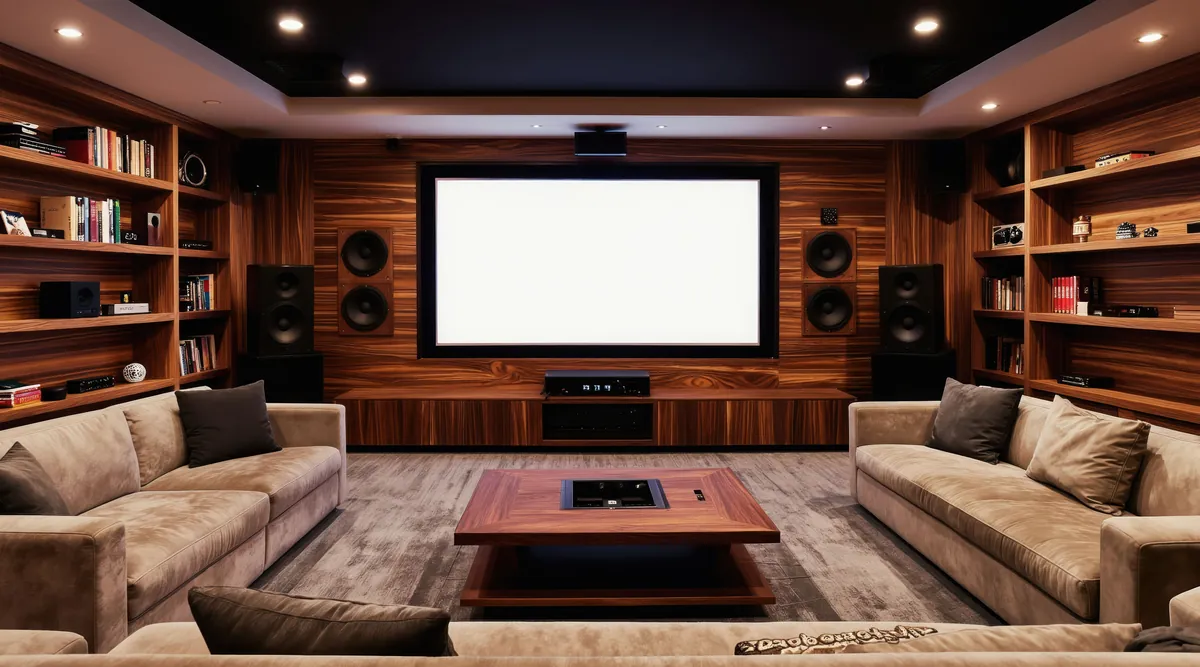
Projector installations, however, usually go largely unnoticed: at one end of the room, on the ceiling or on a shelf, the projector will be discreetly located; at the other, a rolled-up screen will appear only as an object barely ten centimeters thick on the ceiling, if it is not completely hidden behind a false ceiling. That wall can have windows, paintings, whatever you like, and only when we are going to use the projector will we lower the screen (or it will come down by itself if it is motorized) to enjoy the show. If we decide to dedicate a room or a wall to this use, we could then use a fixed screen, in which case that surface would indeed be committed to this purpose.
2. Can a projector be used without a permanent installation?
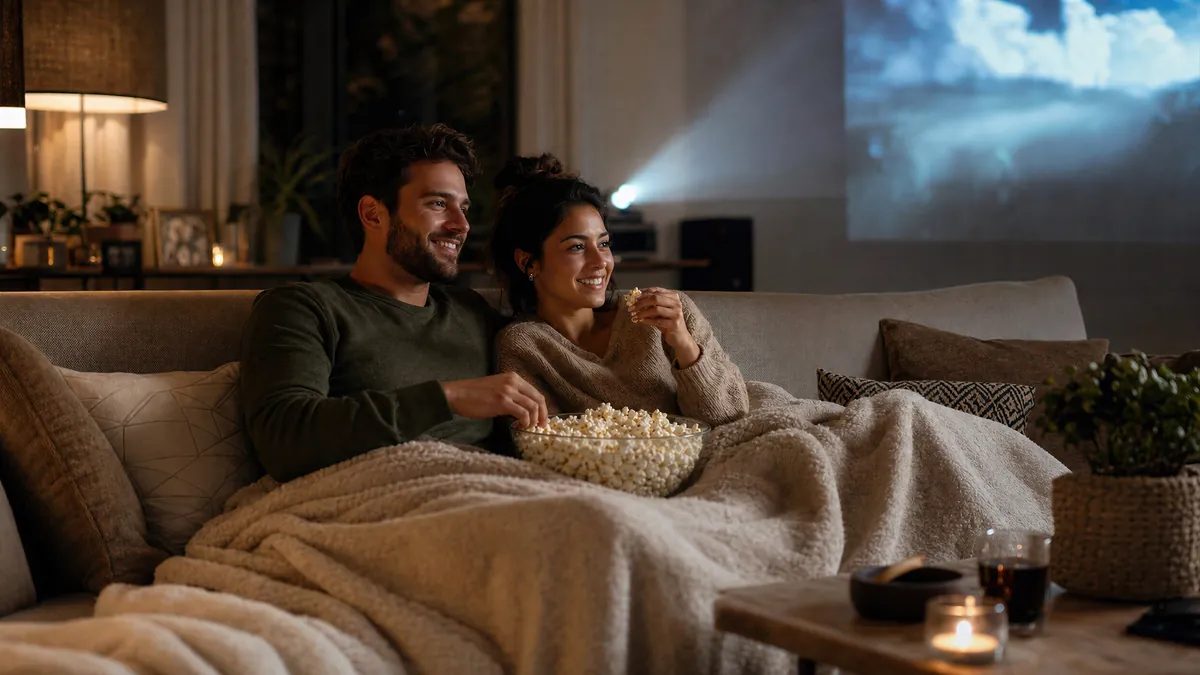
It is perfectly possible, although not ideal: a projector is a precision electronic device and vibrations and knocks can affect its performance, so a permanent installation (away from curious hands) is ideal. But it is not mandatory: we can perfectly well enjoy a projector by placing it, whenever we want to watch a movie or a sporting event, on the floor, on a coffee table or on a shelf, depending on our room and needs.
3. How far from the screen should it be installed?
Not all projectors have lenses with the same throw or the same zoom range, but broadly speaking we can say that to obtain a screen with a 100-inch diagonal we can place it between three and six meters from the screen. As you can see, they are very versatile, and the exceptions are those projectors with a narrower zoom range, which are increasingly rare.
4. Is it difficult to achieve good placement?
There was a time, particularly with DLP projectors, when you had to be very meticulous and precise when installing the projector to achieve an image with correct geometry (free of distortion or aberrations), but that is no longer the case, and virtually all current models offer lens adjustment ranges that make installation, or choosing where to place the projector, enormously easier. There is only one requirement that remains, and that is that the projector must be positioned so that the axis of its lens (the imaginary line that would come out of it) is perfectly perpendicular to the plane of the screen, especially horizontally (since many projectors can correct a certain lack of vertical perpendicularity, so-called keystone correction, but using it means losing quality).
5. Which cables will I need to run to the projector?
There are really only two essential ones: the power cable (obviously) and an HDMI cable, which is the best way to send it a signal (and, depending on the type of signal, the only one). If we have room, we can add a coaxial cable for the composite video signal (which is the lowest quality possible, but available on any old video device) or three of those coaxial cables for component video if we have some very particular device that uses it. But our advice is to forget anything that isn't HDMI: today's receivers can accept the other video signals and convert them to HDMI, making life easier by allowing us to use a single signal cable between the sources (or receiver) and the projector.
6. Don't very long HDMI cables cause problems?
Yes, they can: it is genuinely hard to distinguish between lower- and higher-quality cables over runs of one or two meters, but when we need more than five or seven meters the differences between them become obvious, to the point that the devices may fail to synchronize and we get no picture at all. The most common effect with mediocre cables beyond ten meters, however, is a kind of snow and randomly scattered colored pixels on the screen, along with brief interruptions of the picture. With a better-quality cable, we have seen connections of more than 20 meters working at 1080p without problems.
7. What do I do if my receiver is old, has no HDMI and I'm happy with it?
Modern receivers have become more than amplifiers, because they not only contain video processing circuits (to switch between several HDMI sources and provide graphical on-screen menus) but even act as network sources. But there are components from previous generations that are perfectly capable of giving us great satisfaction in their role: the best solution may be to opt for a direct connection between source and projector, since a current Blu-ray player can play movies in the new format, DVDs and even video files. The audio will travel over a traditional digital connection (optical or coaxial) to the receiver, and all we will miss is the final nuance in those BD movies with high-resolution formats. Remember, though, that (for example) DTS-HD Master Audio will be sent as high-bitrate DTS (the best possible on a DVD) over that traditional digital connection, and that is already excellent sound quality.
8. Is it essential to install a screen?
No, it isn't: many enthusiasts project onto a wall, although many of them prepare that wall with a paint mix designed for the purpose. Some household finishes (plaster painted with distemper, for example) look white but actually have color deviations that we discover when we try to calibrate (but which we can correct precisely that way). And it is certainly preferable to use a smooth wall, without a textured finish, especially if we are going to sit close to it...
9. Which type of screen is best: manual, fixed, motorized...?
We won't beat around the bush: the best screens are fixed ones, because they are the only ones that can guarantee a wrinkle-free surface over the long term. A tensioned motorized screen comes close, an ordinary motorized one will tend to sag slightly depending on its size and quality, and finally manual screens are the first to start showing defects of this kind. Logically, a fixed screen is only practical in a dedicated room (or in homes where every member of the household is a keen enthusiast).
10. Does the projector need to be calibrated?
It isn't necessary to start enjoying it, but it is the only way to get the most out of it in our room: it is not just a question of knowing for sure that we are seeing the correct colors, just as the director intended them in that movie; calibration allows more than that: it means enjoying the full luminance range, all the contrast our projector is capable of. It makes no sense to agonize over a purchase, comparing models and their spec sheets or reviews in the magazine, only to install it and not calibrate it: a lower-range projector, properly calibrated, always delivers a better picture than a better (and more expensive) uncalibrated one. Let me stress that calibration is for our room, our screen and our usual ambient light conditions. When any of these changes, the calibration is no longer valid, which is why it has to be done on site, and also why there is no such thing as a factory-calibrated projector because... calibrated for which screen? With what light? A simple test disc will allow you to set the white level (contrast) and black level (brightness) correctly for your viewing conditions, and that is the minimum adjustment required at initial installation. From there... I recommend a careful reading of the outstanding articles by my colleague Javier Guerra in this very magazine some time ago.
11. Is it true that projectors are no good for "watching TV"?
No, it isn't true: a projector can show us any image we send it, and that from a DTT or satellite receiver is as valid as any other. What is true is that, with a screen of 100 inches or more, we have a real microscope for the video signal: when this signal was analog or standard-definition DTT, at that size it was logically not a feast for the eyes the way the signal from today's HD channels is (every network has at least one). And some broadcasts, such as MotoGP motorcycle racing or soccer, take on a new dimension when watched on a big screen and in HD...
12. Is it advisable to paint the room a dark color?
If we are going to have a dedicated room, yes: the darker it is, the less it will reflect the light coming from the screen (which in turn is reflected from the projector) and the greater the effective contrast we will achieve. Put the other way around, a room with white walls and ceiling will reflect a great deal of light, leaving considerable ambient light even though we are supposedly in the dark. However, since we are always subject to domestic compromises and dark colors are rarely appreciated, some ochre or blue tone can be used, which already reflects much less light than white.
13. What happens if there is a power cut while we are watching a movie?
Projectors use powerful quartz lamps (around 200W) which, in addition to light, produce a lot of heat, which is why they use fans for forced cooling. When we switch them off, the lamp shuts down progressively and the fans keep running to prevent a sudden drop in temperature that could damage its glass. A power cut would logically prevent that optimal shutdown and could directly cause the lamp to fail (possibly the next time it is switched on), not to mention that, being delicate electronics, if the power cut is followed by a voltage surge there could be other kinds of damage. Our advice is always to use projectors with a UPS. It can be a computer-type UPS (affordable), with more than enough capacity for this use (a minimum of 400W depending on the projector), so that if the power cut is brief we can carry on watching, and if it looks like lasting longer we can shut the projector down properly.
14. Which technology is best, LCD, DLP or D-ILA, and what are the differences between them?
That question is hard to answer: in principle the best technology is D-ILA, since it uses the best of the other two, but a projector is always much more than just its basic panel. LCD projectors use three panels of that material (for red, green and blue, or RGB) through which the light from the lamp passes, taking on the colors we will see projected; since it is not easy to make an LCD panel completely opaque (or transparent), their blacks may not be perfect and their contrast may be unremarkable; in addition, LCD panels have gaps between pixels that we will see as a grid or screen-door pattern on the screen. DLPs work in exactly the opposite way: their panels (the usual three primary colors) are made up of many micromirrors that reflect the light from the lamp; on paper, their contrast and black level will therefore be better than those of an LCD, but they need a color wheel (a filter at the output to project the correct colors) that can cause a rainbow optical effect to which some people are very sensitive; the panels have hardly any gaps between pixels, and the screen-door effect is greatly reduced. D-ILA projectors use semi-reflective panels that work in a way that falls between the two traditional systems, and it seems to be the technology that will prevail, since it takes advantage of the strengths of both, although it is still reserved for mid-range and high-end projectors.
15. Which brochure figures are reliable or useful?
Very few! Never be guided by the brightness or contrast figures in a brochure, because, due to the numbers war between brands, these figures are often somewhat inflated and, above all, measured under conditions that would be impossible for proper viewing, for example with contrast at maximum. Use the brochure to find out about the technology, dimensions and weight of the unit, read the manual to get to know its menu options better, and... follow our magazine to find out how the products really perform.
16. Are automatic irises any good?
When a projector is very bright, it usually has a poor black level (the blacks are not very dark), and conversely, a projector with good blacks is usually not very bright. One way of combining both qualities is to use a dynamic iris, that is, a variable aperture in the projection optics. Technology has made it possible to build mechanisms so fast that the eye cannot detect their movements: if the scene is very bright, they open to achieve greater brightness, and conversely, in dark scenes they close to maximize contrast and detail in dark areas. However, even when the digital processing is very good and the mechanism very fast, scenes with strong light-and-shade contrast can pose problems and make us perceive annoying changes in light: in general, we have yet to test an automatic iris that fully convinces us, and we do not think it is a key factor in deciding on a purchase.
17. Do we need a special projector for 3D?
Yes, it is necessary, among other things because the projector will have to control the mandatory glasses. But to be able to project in three dimensions, that is, stereoscopic images (different for each eye), a projector must also be capable of projecting images at twice the usual rate (so that each eye perceives its frame at the normal rate or higher, never lower). If you plan to enjoy this effect, you should look for a projector designed for the purpose.
18. What menu or controls are needed for a thorough calibration?
To be able to calibrate a projector, in addition to the basic controls that all of them have (contrast, brightness), you need access to a color management system or CMS (Colour Management System). There we can fine-tune the individual settings of each panel in full detail: calibration involves using a colorimeter probe (which measures colors precisely, since the eye would always deceive us) connected to a computer, with test patterns (pure colors at different intensities) and the help of dedicated software that takes the probe's readings. Little by little, the values for each color are adjusted (the advanced menu allows this direct access) to bring the original color curves closer to the optimal ones for our installation.
19. What does "ISF certified" mean?
ISF is the Imaging Science Foundation, which has been working since 1994 to improve the quality of digital image reproduction. When a product carries this label, it means that, in addition to having the menus and settings needed for calibration according to the Institute's standards, it has been verified that calibration is indeed possible with them, and it also has fixed memories for the two calibration modes (Day and Night), so that once calibrated the user knows those references are locked in for use.
20. Is it important to have state-of-the-art video processing chips?
All projectors, whether or not they make a big deal of it, have long included digital image processors: they need them to convert the incoming signal, whatever it may be, into the digital signal their panels require, the so-called native resolution, which nowadays is almost always the now popular 1920 x 1080 pixels of the best high-resolution video signal. It may be the case (a very common one) that we have video processing in triplicate in our system: in the Blu-ray player, in the receiver and in the projector itself. If the movie is native 1080p24, the Blu-ray player will send that pure signal and the receiver will also let it through unchanged (unless we set it differently), while the projector may apply some processing before sending it to its panels (this may also depend on our settings). Curiously, things get more complicated when playing a DVD: its native signal (576 interlaced lines, or 576i) will at some point have to be upscaled (to 1080 lines) and also deinterlaced (from "i" to "p"). The player can do it all, or part of it while the receiver does the rest, or the receiver can do it all, or neither of them and the projector's processor takes charge. Which is best? It depends! In general, it is logical to think that the projector's processor will be best optimized for its own panel, but a more recent-generation (or better-programmed) processor in the player or receiver may achieve a better result. The solution: spend an afternoon trying out all the options.
1. Is a dedicated room needed to use a projector?
Not at all; in fact, it is exactly the opposite: a modern television of 40 inches or more, even a flat model that we can hang on a wall like a painting, takes up a considerable amount of space and has certain requirements (heat dissipation, connections) that can complicate domestic logistics.
Projector installations, however, usually go largely unnoticed: at one end of the room, on the ceiling or on a shelf, the projector will be discreetly located; at the other, a rolled-up screen will appear only as an object barely ten centimeters thick on the ceiling, if it is not completely hidden behind a false ceiling. That wall can have windows, paintings, whatever you like, and only when we are going to use the projector will we lower the screen (or it will come down by itself if it is motorized) to enjoy the show. If we decide to dedicate a room or a wall to this use, we could then use a fixed screen, in which case that surface would indeed be committed to this purpose.
2. Can a projector be used without a permanent installation?
It is perfectly possible, although not ideal: a projector is a precision electronic device and vibrations and knocks can affect its performance, so a permanent installation (away from curious hands) is ideal. But it is not mandatory: we can perfectly well enjoy a projector by placing it, whenever we want to watch a movie or a sporting event, on the floor, on a coffee table or on a shelf, depending on our room and needs.
3. How far from the screen should it be installed?
Not all projectors have lenses with the same throw or the same zoom range, but broadly speaking we can say that to obtain a screen with a 100-inch diagonal we can place it between three and six meters from the screen. As you can see, they are very versatile, and the exceptions are those projectors with a narrower zoom range, which are increasingly rare.
4. Is it difficult to achieve good placement?
There was a time, particularly with DLP projectors, when you had to be very meticulous and precise when installing the projector to achieve an image with correct geometry (free of distortion or aberrations), but that is no longer the case, and virtually all current models offer lens adjustment ranges that make installation, or choosing where to place the projector, enormously easier. There is only one requirement that remains, and that is that the projector must be positioned so that the axis of its lens (the imaginary line that would come out of it) is perfectly perpendicular to the plane of the screen, especially horizontally (since many projectors can correct a certain lack of vertical perpendicularity, so-called keystone correction, but using it means losing quality).
5. Which cables will I need to run to the projector?
There are really only two essential ones: the power cable (obviously) and an HDMI cable, which is the best way to send it a signal (and, depending on the type of signal, the only one). If we have room, we can add a coaxial cable for the composite video signal (which is the lowest quality possible, but available on any old video device) or three of those coaxial cables for component video if we have some very particular device that uses it. But our advice is to forget anything that isn't HDMI: today's receivers can accept the other video signals and convert them to HDMI, making life easier by allowing us to use a single signal cable between the sources (or receiver) and the projector.
6. Don't very long HDMI cables cause problems?
Yes, they can: it is genuinely hard to distinguish between lower- and higher-quality cables over runs of one or two meters, but when we need more than five or seven meters the differences between them become obvious, to the point that the devices may fail to synchronize and we get no picture at all. The most common effect with mediocre cables beyond ten meters, however, is a kind of snow and randomly scattered colored pixels on the screen, along with brief interruptions of the picture. With a better-quality cable, we have seen connections of more than 20 meters working at 1080p without problems.
7. What do I do if my receiver is old, has no HDMI and I'm happy with it?
Modern receivers have become more than amplifiers, because they not only contain video processing circuits (to switch between several HDMI sources and provide graphical on-screen menus) but even act as network sources. But there are components from previous generations that are perfectly capable of giving us great satisfaction in their role: the best solution may be to opt for a direct connection between source and projector, since a current Blu-ray player can play movies in the new format, DVDs and even video files. The audio will travel over a traditional digital connection (optical or coaxial) to the receiver, and all we will miss is the final nuance in those BD movies with high-resolution formats. Remember, though, that (for example) DTS-HD Master Audio will be sent as high-bitrate DTS (the best possible on a DVD) over that traditional digital connection, and that is already excellent sound quality.
8. Is it essential to install a screen?
No, it isn't: many enthusiasts project onto a wall, although many of them prepare that wall with a paint mix designed for the purpose. Some household finishes (plaster painted with distemper, for example) look white but actually have color deviations that we discover when we try to calibrate (but which we can correct precisely that way). And it is certainly preferable to use a smooth wall, without a textured finish, especially if we are going to sit close to it...
9. Which type of screen is best: manual, fixed, motorized...?
We won't beat around the bush: the best screens are fixed ones, because they are the only ones that can guarantee a wrinkle-free surface over the long term. A tensioned motorized screen comes close, an ordinary motorized one will tend to sag slightly depending on its size and quality, and finally manual screens are the first to start showing defects of this kind. Logically, a fixed screen is only practical in a dedicated room (or in homes where every member of the household is a keen enthusiast).
10. Does the projector need to be calibrated?
It isn't necessary to start enjoying it, but it is the only way to get the most out of it in our room: it is not just a question of knowing for sure that we are seeing the correct colors, just as the director intended them in that movie; calibration allows more than that: it means enjoying the full luminance range, all the contrast our projector is capable of. It makes no sense to agonize over a purchase, comparing models and their spec sheets or reviews in the magazine, only to install it and not calibrate it: a lower-range projector, properly calibrated, always delivers a better picture than a better (and more expensive) uncalibrated one. Let me stress that calibration is for our room, our screen and our usual ambient light conditions. When any of these changes, the calibration is no longer valid, which is why it has to be done on site, and also why there is no such thing as a factory-calibrated projector because... calibrated for which screen? With what light? A simple test disc will allow you to set the white level (contrast) and black level (brightness) correctly for your viewing conditions, and that is the minimum adjustment required at initial installation. From there... I recommend a careful reading of the outstanding articles by my colleague Javier Guerra in this very magazine some time ago.
11. Is it true that projectors are no good for "watching TV"?
No, it isn't true: a projector can show us any image we send it, and that from a DTT or satellite receiver is as valid as any other. What is true is that, with a screen of 100 inches or more, we have a real microscope for the video signal: when this signal was analog or standard-definition DTT, at that size it was logically not a feast for the eyes the way the signal from today's HD channels is (every network has at least one). And some broadcasts, such as MotoGP motorcycle racing or soccer, take on a new dimension when watched on a big screen and in HD...
12. Is it advisable to paint the room a dark color?
If we are going to have a dedicated room, yes: the darker it is, the less it will reflect the light coming from the screen (which in turn is reflected from the projector) and the greater the effective contrast we will achieve. Put the other way around, a room with white walls and ceiling will reflect a great deal of light, leaving considerable ambient light even though we are supposedly in the dark. However, since we are always subject to domestic compromises and dark colors are rarely appreciated, some ochre or blue tone can be used, which already reflects much less light than white.
13. What happens if there is a power cut while we are watching a movie?
Projectors use powerful quartz lamps (around 200W) which, in addition to light, produce a lot of heat, which is why they use fans for forced cooling. When we switch them off, the lamp shuts down progressively and the fans keep running to prevent a sudden drop in temperature that could damage its glass. A power cut would logically prevent that optimal shutdown and could directly cause the lamp to fail (possibly the next time it is switched on), not to mention that, being delicate electronics, if the power cut is followed by a voltage surge there could be other kinds of damage. Our advice is always to use projectors with a UPS. It can be a computer-type UPS (affordable), with more than enough capacity for this use (a minimum of 400W depending on the projector), so that if the power cut is brief we can carry on watching, and if it looks like lasting longer we can shut the projector down properly.
14. Which technology is best, LCD, DLP or D-ILA, and what are the differences between them?
That question is hard to answer: in principle the best technology is D-ILA, since it uses the best of the other two, but a projector is always much more than just its basic panel. LCD projectors use three panels of that material (for red, green and blue, or RGB) through which the light from the lamp passes, taking on the colors we will see projected; since it is not easy to make an LCD panel completely opaque (or transparent), their blacks may not be perfect and their contrast may be unremarkable; in addition, LCD panels have gaps between pixels that we will see as a grid or screen-door pattern on the screen. DLPs work in exactly the opposite way: their panels (the usual three primary colors) are made up of many micromirrors that reflect the light from the lamp; on paper, their contrast and black level will therefore be better than those of an LCD, but they need a color wheel (a filter at the output to project the correct colors) that can cause a rainbow optical effect to which some people are very sensitive; the panels have hardly any gaps between pixels, and the screen-door effect is greatly reduced. D-ILA projectors use semi-reflective panels that work in a way that falls between the two traditional systems, and it seems to be the technology that will prevail, since it takes advantage of the strengths of both, although it is still reserved for mid-range and high-end projectors.
15. Which brochure figures are reliable or useful?
Very few! Never be guided by the brightness or contrast figures in a brochure, because, due to the numbers war between brands, these figures are often somewhat inflated and, above all, measured under conditions that would be impossible for proper viewing, for example with contrast at maximum. Use the brochure to find out about the technology, dimensions and weight of the unit, read the manual to get to know its menu options better, and... follow our magazine to find out how the products really perform.
16. Are automatic irises any good?
When a projector is very bright, it usually has a poor black level (the blacks are not very dark), and conversely, a projector with good blacks is usually not very bright. One way of combining both qualities is to use a dynamic iris, that is, a variable aperture in the projection optics. Technology has made it possible to build mechanisms so fast that the eye cannot detect their movements: if the scene is very bright, they open to achieve greater brightness, and conversely, in dark scenes they close to maximize contrast and detail in dark areas. However, even when the digital processing is very good and the mechanism very fast, scenes with strong light-and-shade contrast can pose problems and make us perceive annoying changes in light: in general, we have yet to test an automatic iris that fully convinces us, and we do not think it is a key factor in deciding on a purchase.
17. Do we need a special projector for 3D?
Yes, it is necessary, among other things because the projector will have to control the mandatory glasses. But to be able to project in three dimensions, that is, stereoscopic images (different for each eye), a projector must also be capable of projecting images at twice the usual rate (so that each eye perceives its frame at the normal rate or higher, never lower). If you plan to enjoy this effect, you should look for a projector designed for the purpose.
18. What menu or controls are needed for a thorough calibration?
To be able to calibrate a projector, in addition to the basic controls that all of them have (contrast, brightness), you need access to a color management system or CMS (Colour Management System). There we can fine-tune the individual settings of each panel in full detail: calibration involves using a colorimeter probe (which measures colors precisely, since the eye would always deceive us) connected to a computer, with test patterns (pure colors at different intensities) and the help of dedicated software that takes the probe's readings. Little by little, the values for each color are adjusted (the advanced menu allows this direct access) to bring the original color curves closer to the optimal ones for our installation.
19. What does "ISF certified" mean?
ISF is the Imaging Science Foundation, which has been working since 1994 to improve the quality of digital image reproduction. When a product carries this label, it means that, in addition to having the menus and settings needed for calibration according to the Institute's standards, it has been verified that calibration is indeed possible with them, and it also has fixed memories for the two calibration modes (Day and Night), so that once calibrated the user knows those references are locked in for use.
20. Is it important to have state-of-the-art video processing chips?
All projectors, whether or not they make a big deal of it, have long included digital image processors: they need them to convert the incoming signal, whatever it may be, into the digital signal their panels require, the so-called native resolution, which nowadays is almost always the now popular 1920 x 1080 pixels of the best high-resolution video signal. It may be the case (a very common one) that we have video processing in triplicate in our system: in the Blu-ray player, in the receiver and in the projector itself. If the movie is native 1080p24, the Blu-ray player will send that pure signal and the receiver will also let it through unchanged (unless we set it differently), while the projector may apply some processing before sending it to its panels (this may also depend on our settings). Curiously, things get more complicated when playing a DVD: its native signal (576 interlaced lines, or 576i) will at some point have to be upscaled (to 1080 lines) and also deinterlaced (from "i" to "p"). The player can do it all, or part of it while the receiver does the rest, or the receiver can do it all, or neither of them and the projector's processor takes charge. Which is best? It depends! In general, it is logical to think that the projector's processor will be best optimized for its own panel, but a more recent-generation (or better-programmed) processor in the player or receiver may achieve a better result. The solution: spend an afternoon trying out all the options.
Keep reading
Capacitors: Audio signals
Remember that a capacitor is a passive electronic component that stores electric charge and presents infinite resistance to…
Setting up a 6.1/7.1 multichannel system
This article shows you how to set up and prepare a 6.1 or 7.1-channel multichannel system, after first deciding whether it is…
Capacitors: Power supply
What is a capacitor? Combinations and types.
Power supplies
All components need electricity to work: the quality of their power supply can be decisive.