Connections and the A/V receiver
An always difficult union.
The A/V receiver is much more than the multichannel amplifier that drives the drivers in our loudspeakers. Over time, with experience and, above all, the constant demands of users, the receiver has become the nerve center of our installation, with all the inputs converging on it and connecting it to the rest of the "source" components. In this way, in addition to amplifying, it performs the important function of selecting the input we want to enjoy, something only possible once we have installed the whole system properly and, obviously, have chosen an A/V receiver that meets these needs. Unfortunately, we sometimes find ourselves missing an input just when we need it, that is, when we have already bought the A/V receiver.
In the following article we will try to unpick this dual function of the A/V receiver a little, as well as helping you choose the model that best matches your current and future aspirations on the basis of a few basic, well-founded selection criteria. Although it is possible to say "the more it offers, the better", it is also true that the price skyrockets.
Manufacturers, aware that the more they offer the better, have always kept those generous rear panels crammed with seemingly endless multicolored RCA connectors, digital audio inputs and binding-post power outputs. But the industry, although it has supposedly tried, has never managed to standardize all the outputs into a single type, making these rear panels truly indecipherable hieroglyphics. Why are there so many?
The main problem for the content industry is piracy. In addition to fighting the illegal sale of its products, it has tried (and succeeded) to get electronics manufacturers to adopt high-quality standards, but subject to various copy-protection protocols. Precisely for this reason, it is only recently that we have been able to use the DVI and HDMI digital video connections, although it is high time a single digital connection was standardized for signals coming from a DVD-Audio or SA-CD disc. This is the only reason why technology sometimes seems to lag behind.
Regardless of this, analog and digital connections still have to coexist. We have all connected a DVD-Video player to an A/V receiver using a single cable, with a choice, moreover, between the electrical (S/PDIF) or optical (EIAJ-TosLink) option. Up to 8 discrete audio channels can be transmitted over that single cable, the number offered by extended multichannel digital audio formats such as Dolby Digital EX or DTS-ES. Why, then, does an A/V receiver come with analog stereo or multichannel inputs? To answer the first case (analog stereo), we have to introduce the concept of the D/A converter. This is a circuit that converts (as its name suggests) digital signals (that is, numerical streams of 1s and 0s) into a continuous signal over time, in other words a sinusoidal one. This is ultimately what the amplifier will use to drive the loudspeakers. Not all D/A (digital-to-analog) converters are of the same quality. Depending on the manufacturer, some get much closer to the original signal than others; some even manage to "invent" part of the signal with greater approximation; others simply stick to a common standard which, although standardized, is hardly used. All DVD-Video players (which, let's remember, are compatible with CD-Audio discs) include a converter of this type, which is why they come with analog stereo audio outputs. If the converter used by our player is of higher quality than the receiver's, we will understand that, for stereo listening, we may be interested in the "extra" that the player's converter offers us.
If the quality of both is identical or, quite simply, the receiver's is better than the player's, we will leave the digital signal from the disc intact to obtain a better conversion in the receiver. This does not mean that, for multichannel signals (basically Dolby Digital and DTS, but also MP3, WMA files, etc.), we would not also want to connect the source to the receiver digitally. In most cases, using the digital signal between the DVD-Video player and the A/V receiver will be enough when it comes to movie soundtracks, with purely musical stereo listening being the hardest choice, so the final judgment will depend on the user.
There is one aspect we must not forget when we use an analog link: the possible degradation of the signal, as well as how tedious it can be. If, for example, we have a Dolby Digital signal but want to send it to the A/V receiver in analog form, we will have to use a minimum of 6 cables, whereas if we opt for digital, 1 will be enough. As for degradation, unless we use well-shielded cables, electromagnetic interference may make itself felt amid the tangle of cables at the back of our equipment.
In short, for practicality and simplicity, we will connect DVD-Video players to the receiver via a digital connection (S/PDIF or EIAJ-TosLink, it makes no difference, although the latter is completely immune to electromagnetic problems but can break more easily) and, unless our source's converter is better than our receiver's, we will keep that same connection digital.
The exception, as we have already pointed out, is players compatible with DVD-Audio and SA-CD. Since there is no single, widely adopted digital connection (this is not the case with some Meridian, Denon or Pioneer components, and normally only between components of the same brand), the only alternative is to resort to "multi-cabling", precisely because of the multichannel nature of both formats.
VIDEO SIGNALS
Many receivers, even though they include a wide variety of input types (analog, digital...), usually group them into a few (although, in most cases, more than enough). Thus, we may be able to choose, for example, between 3 digital and 3 analog inputs, but that does not mean we will have 6 possible sources. There may be only 3, with the 3 unused possible inputs canceling each other out. Although it is obvious that this duplication is redundant.
It is increasingly common to find modest switching between two or three component video or digital video (DVI/HDMI) inputs. In most of the cases in which we have tested this switching, any problems have been almost imperceptible, so we recommend using it. The idea is to associate an audio input with a video input, turning the receiver into a true audiovisual switcher. But, to be as purist as possible, each connection added to the chain implies a (however small) loss of quality. It is therefore better to send the video signal from a player directly to the display, especially in the case of the DVD-Video player. We can, however, use the receiver, for example, to switch between the signals from an analog tuner, a digital tuner and a games console feeding a video projector. The "lower" quality of these signals makes the supposed loss from added connections even less noticeable. A CD-Audio player that is also a music server (thanks to a hard drive) may require a video signal so that the user can navigate the song selection menus. This video or control signal (like the A/V receiver's own when it has an on-screen menu, or OSD) demands absolutely nothing in terms of quality. Since we will simply use it as a "guide", the composite or S-Video output will be enough and, in the vast majority of A/V receivers, many audio inputs are usually grouped with their corresponding standard-definition video input. The video output signal can be composite or S-Video, and so we can use that 3rd or 4th input on the display that we never thought we would use. Some receivers can upscale S-Video signals to a higher format, adding an interesting extra to both the component and our installation. It is all a matter of planning ahead.
RECEIVERS AND UNIVERSAL REMOTES
A subject we will leave for another issue is programmable universal remote controls. When we have managed to connect all the equipment in our living room to the receiver, and the receiver to the various displays, we will realize that day in, day out we are using quite a few remote controls. This is the right time to consider buying a universal remote. These allow us to program the buttons of any other remote and arrange them almost at will. They will even let us group under a single click a whole series of commands that we used to carry out one by one. So, for example, by pressing the "watch movies on the projector" button we will switch on the player, the receiver and the projector and lower the screen, and select the corresponding input on the receiver while telling the player to scale the signal to the display's native resolution. Although achieving this takes time, its practicality is much appreciated.
Keep reading
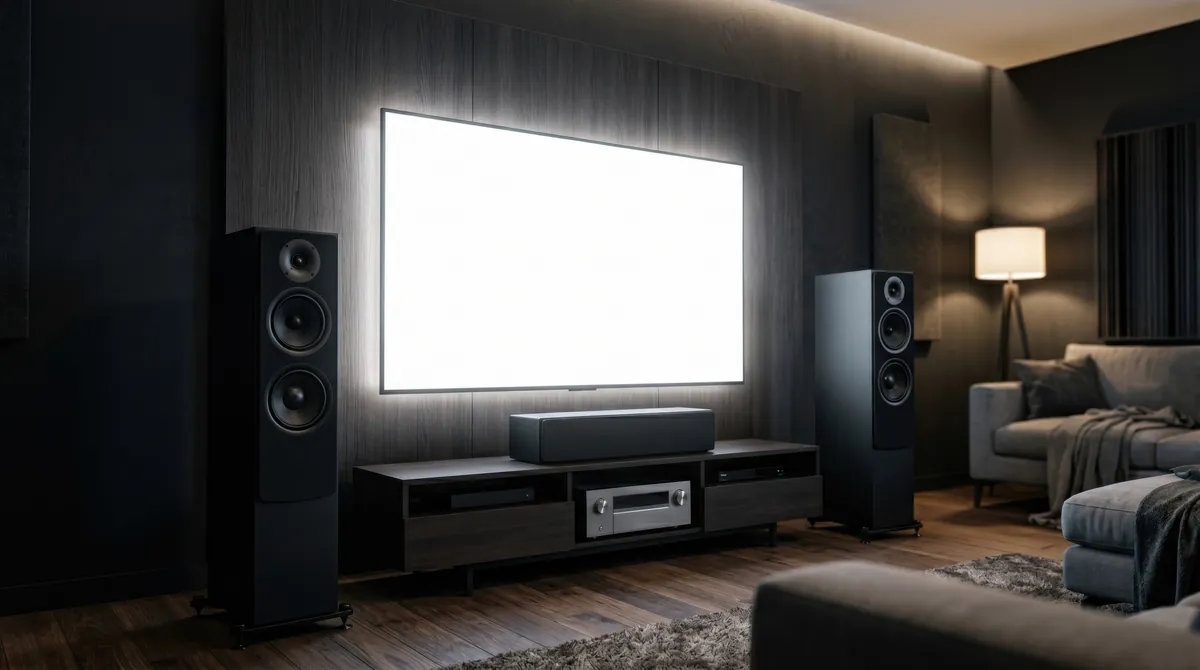
What does THX mean?
A review of the requirements and advantages of the THX standard.
Grounding: that strange, annoying noise
We often forget about the ground connection, an indispensable element for any electrical equipment that also looks after our…
Loudspeakers: construction and characteristics
A review of the construction, design and basic characteristics of loudspeakers.

Drivers and crossovers
An article by Luis Llana on the use of crossovers in loudspeakers.